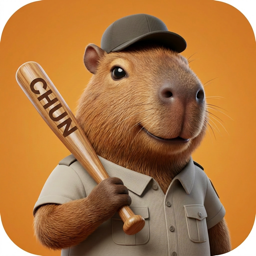
If you want a Shimeji-style companion on Mac, CHUNS offers cozy, hand-drawn 2D screen pets built natively for macOS with integrated Pomodoro timers.
"Shimeji" (named after the mushroom) is a famous desktop mascot program that allows little characters to crawl, hop, and climb across your computer screen. Originally originating from Japan, Shimejis became a massive global trend. However, running Java-based Shimeji files on modern macOS (especially on Apple Silicon M1/M2/M3 chips) has become highly complex, often leading to performance drops and system errors.
Fortunately, there are modern alternatives designed specifically for macOS that capture the same playful spirit.
How do Shimeji Alternatives Compare on Mac?
| Mascot Program | macOS Compatibility | Interface Integration | System Overhead |
|---|---|---|---|
| CHUNS | Native macOS app | Menu bar anchoring (non-intrusive) | Depends on Mac and active animation |
| Java Shimeji-ee | Poor (Requires Java, bugs on Silicon) | Full desktop overlay (cluttered) | High (Java virtual machine overhead) |
| Chrome Shimeji Extension | Browser Only (Chrome/Edge) | Restricted to browser tabs | Medium (Browser background thread) |
Why CHUNS is the Perfect Modern Shimeji for macOS
1. Menu Bar Anchoring (No Screen Clutter)
Original Shimejis crawl everywhere, which can become frustrating when trying to click buttons in your code editor or document. CHUNS solves this by letting your companion live quietly in the macOS menu bar area. They stay out of the way of your active work, providing a calming presence without blocking your mouse pointer.
2. Native Performance
CHUNS is built natively in Swift 6 and uses a 2D sprite renderer. Performance should be evaluated on the current release and your own Mac; the site does not make a universal CPU, memory or battery claim.
3. Focus & Gamification
Instead of just watching a character walk, CHUNS helps you build healthy habits. Your pet studies alongside you during focus sessions. Completing sessions helps you earn Stars, which you can use to unlock new companions (like Mochi the kitten or Bling the hippo).