
A tiny companion. A bigger you.
A tiny friend in your menu bar.Focus comes naturally.


CHUNS lives quietly in your menu bar, keeps you company, and helps you build better focus one cozy session at a time.

Collectible capybara friends
Focus sessions that feel rewarding
Private by default. Sync with iCloud.
Native on Mac. Light and quiet.
Meet the CHUNS
A cast with actual personality.

Each CHUN has its own energy, reactions, and little emotional texture. People do not just use them. They pick favorites.
Francis
Focus Lead
A cozy guardian in a tiny cap. Francis loves safety, quiet workspaces and cheering you on through every study session.

A softer rhythm
Focus that feels warm, not performative.

Pomodoros, stars, idle reactions, and tiny care rituals turn CHUNS into something people keep open because it feels good to keep around.
- Study together
- Collect stars
- Unlock new friends
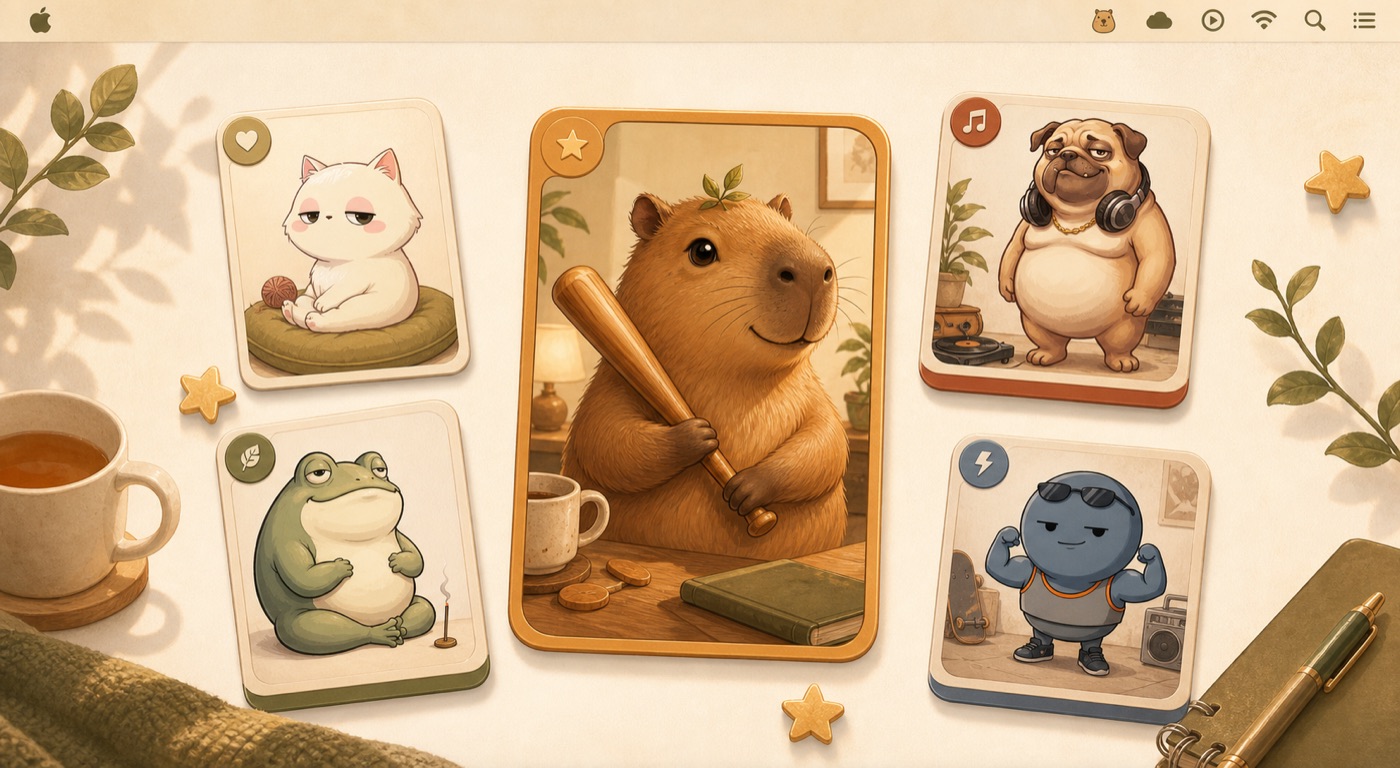
CHUNS isn't a loud productivity app. It's a gentle presence that turns study sessions into a cozy habit. Start a timer and your CHUN settles in to study right beside you.

Why Mac people keep it
Quiet by default. Warm by design.

No account walls, no loud productivity theater, no visual clutter. Just a lovely little companion that belongs on your desktop.
Made to spread
Built for screenshots and “what app is that?” moments.

The product looks adorable on a real desk, feels strangely personal, and gives people something they actually want to share.
A menu bar companion people notice instantly.
A collectible cast people want to talk about.
A cozy visual language that feels handmade, not generated.
Mac App Store
Ready for your macOS menu bar
Start working alongside your new cozy capybara companion today.
Download on the Mac App StoreRequires macOS 26.0 or newer · Apple Silicon recommended